
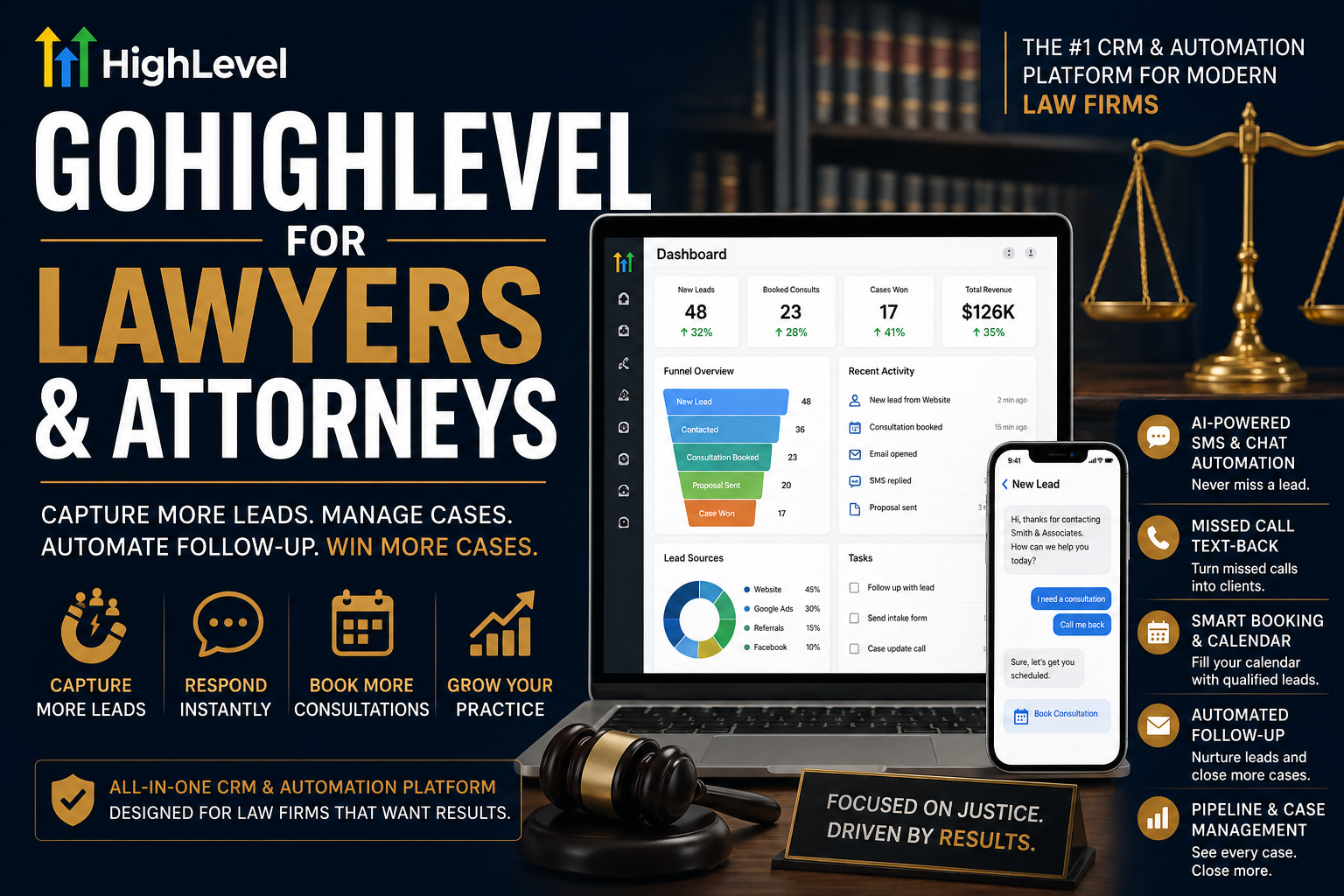
Most law firms do not have a lead problem. They have a follow-up problem.
A potential client fills in a form, calls after hours, or asks for a consultation, and then the process breaks. The receptionist is busy. The intake email gets buried. Nobody follows up fast enough. The prospect moves on to another firm.
That is exactly where GoHighLevel for law firms becomes valuable.
When it is set up properly, GoHighLevel gives lawyers one place to manage lead capture, intake, appointment booking, follow-up, pipeline movement, review requests, and client communication. It is not just another CRM. For law firms, it can become the operating system behind intake and marketing.
We have seen the biggest gains come when firms stop treating GoHighLevel like a basic contact database and start using it as a full workflow engine. That means structured pipelines, smart tagging, missed call text-back, automated reminders, practice-area-specific funnels, and clean handoffs between marketing, intake, and the attorney.
If your firm wants more booked consultations, faster response times, and fewer leads falling through the cracks, this is where GoHighLevel starts to make real commercial sense.
Why are law firms a strong fit for GoHighLevel?
Legal services are high trust and high friction. Prospects rarely convert on the first touch. They research, compare firms, hesitate, ask questions, and often need multiple follow-ups before they book.
That makes law firm marketing and intake a systems problem, not just an advertising problem.
A firm can spend heavily on Google Ads, SEO, LSAs, referrals, and social traffic, but if nobody replies quickly or the intake process feels clunky, the marketing budget gets wasted. GoHighLevel solves that by tightening the gap between lead generation and consultation booking.
For a law firm, that usually means:
A new lead gets tagged instantly by source, practice area, and urgency.
The lead is pushed into the right pipeline.
An SMS and email confirmation go out immediately.
The contact receives an intake form or qualification survey.
The assigned team member gets notified.
The system sends reminders until the consult is booked or the lead is marked unqualified.
That is a much better setup than relying on inboxes, spreadsheets, and memory.
See our guides on
- Go High Level for real estate agents
- Go High Level for financial brokers
- Go High Level for insurance companies
- GoHighLevel for lawyers & attorneys
What does a good GoHighLevel setup for lawyers actually look like?
A serious legal setup is not one generic pipeline and a few reminder emails. It is segmented by practice area, intake type, and case status.
A family law firm should not run the same journey as a PI firm. A criminal defense lead needs a different cadence than an estate planning enquiry. The best GoHighLevel builds for lawyers reflect that reality from day one.
A strong setup usually starts with separate pipelines such as New Lead, Contacted, Intake Started, Consultation Booked, Consultation Completed, Retainer Sent, Retainer Signed, Active Matter, Closed Won, and Closed Lost. Inside that structure, every movement should trigger the next action automatically.
For example, moving a prospect to Consultation Booked can fire email and SMS confirmations, assign the right attorney or intake coordinator, create an internal task, and send reminder messages at fixed intervals before the appointment. Moving them to Retainer Sent can trigger a follow-up sequence if the agreement is not signed within a few days.
That is where a real [GoHighLevel team or expert] starts to outperform a basic freelancer. The value is not just building pages. It is designing the logic behind the entire client journey.
How can lawyers use GoHighLevel to improve intake?
Intake is where most firms either win or lose revenue.
If someone calls after hours and hears voicemail, that should not be the end of the journey. With missed call text-back enabled, the prospect can immediately receive a message acknowledging the call and giving them a fast route to book or complete a short intake form. That one feature alone can rescue a surprising number of opportunities.
For web leads, GoHighLevel can route prospects through practice-area-specific funnels. A personal injury landing page can ask a short set of qualification questions. A divorce enquiry form can gather the right basic information before a consultation. An immigration funnel can branch based on visa type or urgency.
Each submission can then trigger tags such as “PI – Hot Lead,” “Family Law – Consult Requested,” or “Estate Planning – Referral Source.” Those tags matter because they let your team segment follow-up properly instead of blasting the same message to everyone.
This is also where smart automation helps law firms respond faster without sounding robotic. The initial message can confirm receipt, explain next steps, link to a booking page, and set expectations. That keeps the lead warm while your team focuses on qualified conversations.
Can GoHighLevel handle legal pipelines and case-stage visibility?
Yes, but only if you build the pipelines for operational clarity, not just marketing vanity.
Many firms make the mistake of using one pipeline for everything. That creates confusion fast. A better approach is to separate intake-stage pipelines from active matter pipelines, or at least separate them clearly by stage logic.
A criminal defense pipeline may include Urgent Enquiry, Conflict Check, Consultation Booked, Strategy Call Completed, Engagement Sent, Active Matter, Court Date Scheduled, and Matter Closed. A family law pipeline may follow a completely different pattern. A PI pipeline may include medical documentation and claim milestones that do not apply anywhere else.
The point is not to force case management software into GHL. The point is to create clear commercial and intake visibility so the firm knows exactly where leads, prospects, and newly retained clients sit.
A sharp [GoHighLevel consultant] will normally map this before buildout, because the pipeline is the spine of the system. If the stages are wrong, the reporting, automations, and team workflow all become messy.
How does GoHighLevel help law firm marketing, not just admin?
This is where GoHighLevel gets interesting.
Most legal CRMs handle contacts. Fewer handle the marketing engine properly. GoHighLevel gives law firms funnels, landing pages, forms, surveys, calendars, email, SMS, call tracking, attribution, and nurture workflows in one place.
That means you can run practice-area-specific campaigns without sending traffic into a dead end.
A firm offering personal injury, immigration, family law, and estate planning should not dump every visitor onto one generic contact page. Each service needs its own path. With GoHighLevel, you can build dedicated landing pages, attach the correct calendar, trigger the right automations, and track which source actually produced booked consultations.
You can also re-engage older leads. Someone who asked about estate planning six months ago but never booked is still an opportunity. Someone who contacted the firm about immigration but stalled after the first consultation can be re-nurtured with a structured sequence. Someone who closed a matter successfully can enter a review or referral workflow.
That is a big reason firms work with a specialist [GoHighLevel agency] rather than trying to piece it together themselves. The tool is powerful, but the lift comes from strategy and implementation.
What automations should every law firm build first?
The highest-impact automations are usually the least glamorous.
Start with instant lead acknowledgement. Every form fill should get a fast confirmation and a next step. Then add missed call text-back, because a large chunk of legal leads still begin with a phone call. After that, build consultation reminders, no-show recovery sequences, and retainer follow-up automation.
One of the best legal workflows is the abandoned intake sequence. If a prospect starts but does not complete the form, the system can remind them to finish it. Another strong workflow is consult-not-booked follow-up. If someone enquires but never books, GoHighLevel can send a short sequence over a few days to bring them back.
Closed-matter review requests are another obvious win. Too many firms leave reviews to chance. A simple automation that triggers once a matter is closed can help build social proof consistently across Google and other review platforms.
Internal notifications matter too. When a hot lead comes in from a high-value practice area, your intake team should know immediately. Good builds use round-robin assignment, user notifications, and clear ownership rules so speed-to-lead does not depend on luck.
How should law firms use tags, custom fields, and segmentation?
This is where most amateur setups fall apart.
If every contact is just “a lead,” your reporting and automation will stay shallow. Law firms need better segmentation than that.
At a minimum, tag by practice area, source, lead temperature, booking status, and case outcome. Use custom fields to capture things like hearing date, opposing party status, referral source, preferred contact method, language needs, or matter type. Then use smart lists so your team can instantly filter and act on the right people.
For example, you might create one list for high-intent PI leads that have not booked within 24 hours, another for family law consultations scheduled this week, and another for closed matters ready for a review request. That gives the firm operational control instead of chaos.
This is also how you avoid generic follow-up. A DUI lead should not receive the same nurture content as a probate lead. Better segmentation produces better messaging, better conversion rates, and fewer awkward client experiences.
What about compliance and legal sensitivity?
This matters.
GoHighLevel can be a strong system for intake, marketing, communication, and pipeline management, but law firms still need to be careful with how they configure it. Practice-specific rules, advertising standards, consent requirements, document handling, and jurisdictional obligations still apply.
That means your automations should be reviewed properly. Your forms should only collect what you actually need. Your messaging should avoid sloppy promises. Your call recording, SMS use, and email workflows should fit the relevant rules in your jurisdiction. Sensitive legal data should be handled thoughtfully, and firms should never assume that plugging in software automatically makes their process compliant.
In other words, GoHighLevel is the engine. Your law firm still needs a proper implementation plan.
Which integrations matter most for lawyers?
The right integrations depend on how your firm already works.
Calendar syncing is essential so consultations actually land where they should. Zoom or Google Meet can be useful for remote consultations. QuickBooks can help on the billing side. If your firm uses dedicated legal software, tools like Zapier or Make may help bridge the gap between GoHighLevel and your existing stack.
The important thing is not to bolt on random integrations for the sake of it. The goal is to reduce admin and remove duplicate entry. A clean setup should make the journey smoother for both staff and prospects.
That usually means syncing lead and appointment data, not overengineering every possible action.
What does a real GoHighLevel workflow for a law firm look like?
Picture a personal injury prospect clicking a Google Ad after an accident.
They land on a focused page built for PI enquiries, not your general homepage. They complete a short form. GoHighLevel tags them as Personal Injury, Paid Search, and New Lead. An instant SMS thanks them and offers a booking link. If they do not book, a timed follow-up sequence starts. If they call instead and nobody answers, missed call text-back fires automatically.
Once they book, the system sends confirmation messages, reminder emails, and an intake form. The lead moves into Consultation Booked. The intake coordinator gets notified. After the consultation, the contact is either moved to Retainer Sent or Nurture. If retained, the record shifts into the next operational stage. When the matter closes, the review request workflow begins.
That is the kind of joined-up system that helps firms grow without feeling chaotic.
Is GoHighLevel worth it for a law firm in 2026?
For firms that want better response times, cleaner intake, stronger conversion from lead to consultation, and tighter visibility over marketing performance, yes.
But only when it is built with legal workflows in mind.
A badly configured GoHighLevel account can become just another messy tool. A properly implemented one can unify intake, communications, booking, follow-up, nurture, review generation, and reporting in a way that saves time and captures more revenue from the leads you already have.
That is why the build matters more than the subscription.
FAQs
Is GoHighLevel good for law firms?
Yes, especially for firms that want to improve intake, automate follow-up, book more consultations, and track where leads come from. It works best when it is tailored by practice area rather than used as a generic one-size-fits-all CRM.
Can GoHighLevel replace legal case management software?
Usually not completely. For most firms, it is better positioned as the intake, marketing, communication, and pipeline layer. Some firms keep dedicated legal case management software and use GoHighLevel to improve lead handling and front-end conversion.
What is the best GoHighLevel setup for lawyers?
The best setup includes practice-area-specific funnels, separate or clearly structured pipelines, fast lead response automation, missed call text-back, consultation booking flows, tagging, reminder sequences, review request workflows, and reporting tied to actual lead sources.
Can multiple attorneys and staff use GoHighLevel?
Yes. You can assign users, route leads, control access, attach calendars, and build workflows around intake coordinators, paralegals, and attorneys. That makes it workable for solo firms and multi-location teams alike.
How long does it take to set up GoHighLevel for a law firm?
A simple legal setup can be done fairly quickly, but a serious build with multiple practice areas, booking flows, tagging logic, automations, and integrations takes proper planning. The quality of the workflow design matters far more than rushing the setup.
Ready to turn GoHighLevel into a real growth system for your law firm?
If you want more than a basic CRM install, the goal should be a setup that actually improves response time, consultation bookings, lead tracking, and client experience.
That means building the right pipelines, automations, tags, calendars, funnels, and follow-up logic from the start.
If you want that done properly, work with a GoHighLevel expert, speak to a GoHighLevel consultant, or partner with a GoHighLevel agency that understands both marketing systems and operational workflow. That is where GoHighLevel stops being software and starts becoming infrastructure for firm growth.
